Mastering Color Consistency in Food Photography Editing
By Imagick Editorial Team · Published
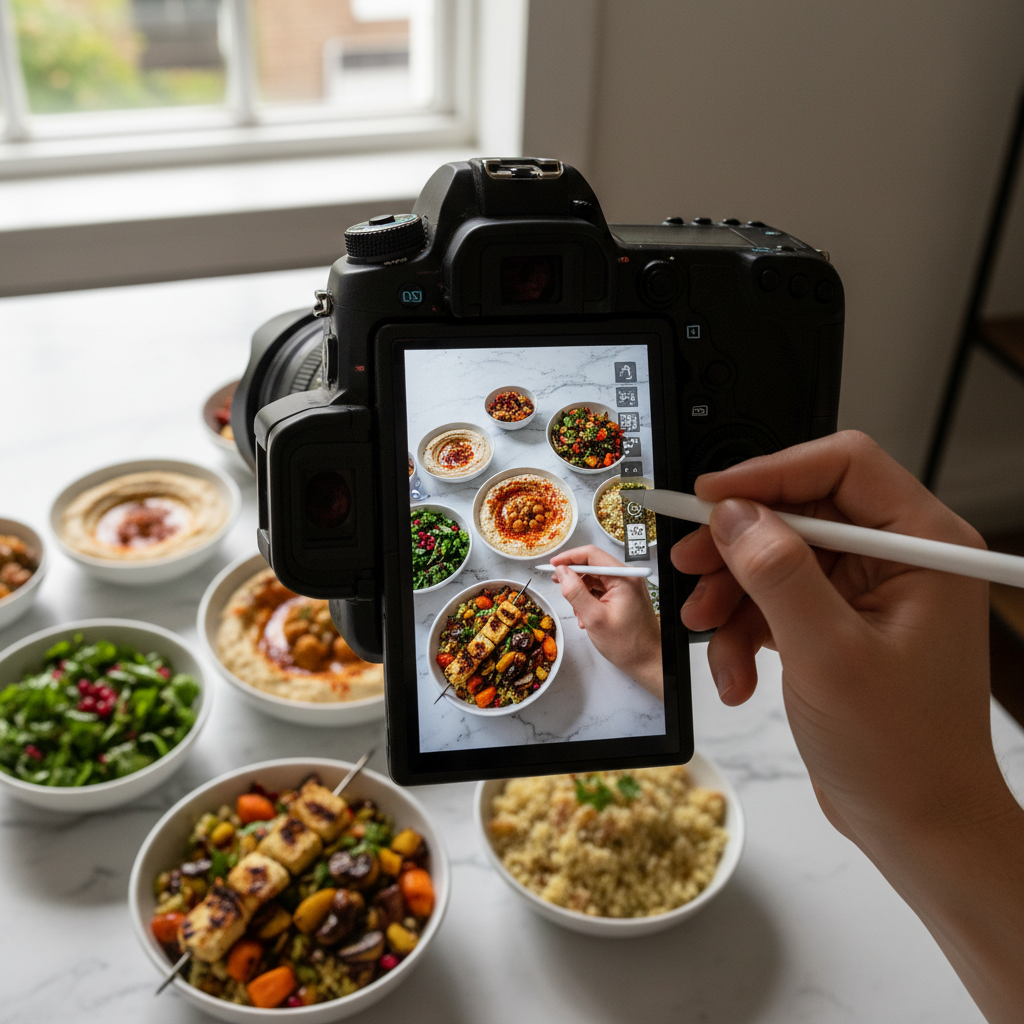
Food photography presents unique challenges in maintaining visual consistency across a series of images. Unlike genres with more uniform subjects, food is inherently diverse in color, texture, and reflectivity. A cohesive visual narrative is crucial for client satisfaction and effective presentation, whether for a restaurant menu, cookbook, or advertising campaign. Achieving this consistency requires a strategic approach from capture through post-production, ensuring that each dish contributes to a unified aesthetic without losing its individual appeal.
Understanding the Challenges of Food Color Consistency
The organic nature of food is a primary factor contributing to color variability. Ingredients like fresh herbs, ripe fruits, and cooked meats possess distinct hues that react differently to light. A vibrant green pesto will reflect light differently than a rich, earthy mushroom risotto, even under identical lighting conditions. Furthermore, sauces, glazes, and oils introduce complex reflections and refractions that can alter perceived color and saturation. The interplay of plateware, garnishes, and background elements also influences the overall color balance of a frame. Without careful management, these variables can lead to a gallery of images that appear disjointed, undermining the professional presentation.
Establishing a Consistent Workflow Foundation
Achieving consistency begins long before post-production. A robust workflow foundation is essential:
* Pre-Production Planning: Develop a clear visual brief or mood board with the client. Define desired color palettes, overall mood, and specific aesthetic goals. This serves as a critical reference point throughout the project.
* Controlled Lighting Environment: Utilize consistent lighting setups for all shots within a series. Whether employing natural light or artificial strobes, maintaining identical light positions, modifiers, and power settings minimizes color shifts between frames.
* Accurate White Balance: Custom white balance using a gray card or color checker at the start of each session, and whenever lighting conditions change, is fundamental. This provides a neutral baseline for color accuracy.
* Monitor Calibration: Regularly calibrate your editing monitor to ensure accurate color representation. Uncalibrated screens can lead to inconsistent color judgments.
* Tethered Shooting: Shooting tethered allows for immediate, large-screen review of images, enabling real-time adjustments to lighting or styling that impact color.
Post-Production Strategies for Color Harmony
Once images are captured, post-production is where the final visual language is refined.
* Batch Processing and Global Adjustments: Begin by applying global adjustments (white balance, exposure, contrast) to a selection of representative images, then synchronize these settings across the entire batch. This establishes a foundational consistency. Tools like Adobe Lightroom are widely used for these initial steps, allowing photographers to create and apply presets for a consistent starting point.
* Reference Images: Keep a selection of approved reference images (from the mood board or previously edited shots) open on a second monitor. This visual guide helps maintain a consistent aesthetic when making local adjustments.
* Targeted Local Adjustments: While global adjustments provide a baseline, individual dishes often require specific local adjustments to enhance their unique characteristics without disrupting the overall harmony. This might involve selectively adjusting the saturation of a specific ingredient or refining highlights on a sauce.
* AI-Assisted Workflows: Artificial intelligence tools can significantly streamline the process of achieving color consistency, particularly across large volumes of diverse food images. AI-powered editing platforms can analyze the color relationships within a set of images and apply consistent profiles, correcting subtle shifts that might be missed manually. For example, an AI photo editing workflow can help maintain a unified look by intelligently matching color and tone across varied dishes, ensuring that the vibrant acidity of a lemon tart translates consistently with the earthy richness of a mushroom risotto. This can free up time for more creative refinements, enhancing overall efficiency, similar to how AI assists in AI Portrait Photography: Speed Meets Quality or Real Estate Photo Turnaround: AI's New Standard. When integrating AI, it's prudent to consider frameworks like the NIST AI Risk Management Framework to evaluate the system's reliability and ensure it aligns with professional standards.
Quality Control and Final Review
Before delivery, a rigorous quality control process is vital:
* Grid View Review: View the entire gallery or a significant portion in a grid layout. This allows for quick identification of any outliers in color, exposure, or tone that disrupt the overall consistency.
* Client Brief Comparison: Cross-reference the edited images against the initial client brief and mood board to ensure all aesthetic goals have been met.
* Color Proofing: If images are destined for print, soft proofing or test prints are crucial to ensure colors translate accurately from screen to physical medium.
* Seek a Fresh Perspective: A brief break from editing, or even a review by a trusted colleague, can help identify inconsistencies that might have become invisible after prolonged work.
Practical Checklist for Food Photography Editing Consistency
* Pre-Production:
* Develop a clear client brief/mood board.
* Plan consistent lighting setups.
* Calibrate monitor regularly.
* Capture:
* Use custom white balance (gray card).
* Shoot tethered for immediate review.
* Post-Production:
* Apply global adjustments/presets first.
* Utilize reference images.
* Employ AI tools for foundational consistency (e.g., Imagick.ai for AI photo editing workflow).
* Perform targeted local adjustments as needed.
* Quality Control:
* Review images in grid view.
* Compare against client brief.
* Conduct color proofing if printing.
* Take breaks and seek fresh perspectives.
This comprehensive approach ensures that every dish, despite its inherent variability, contributes to a visually harmonious and professional presentation, meeting client expectations and enhancing the perceived quality of the food.
Continue building a reliable editing workflow
Review the Imagick AI workflow, compare options in the AI editing comparison, and check current pricing. For broader professional education, visit Professional Photographers of America.