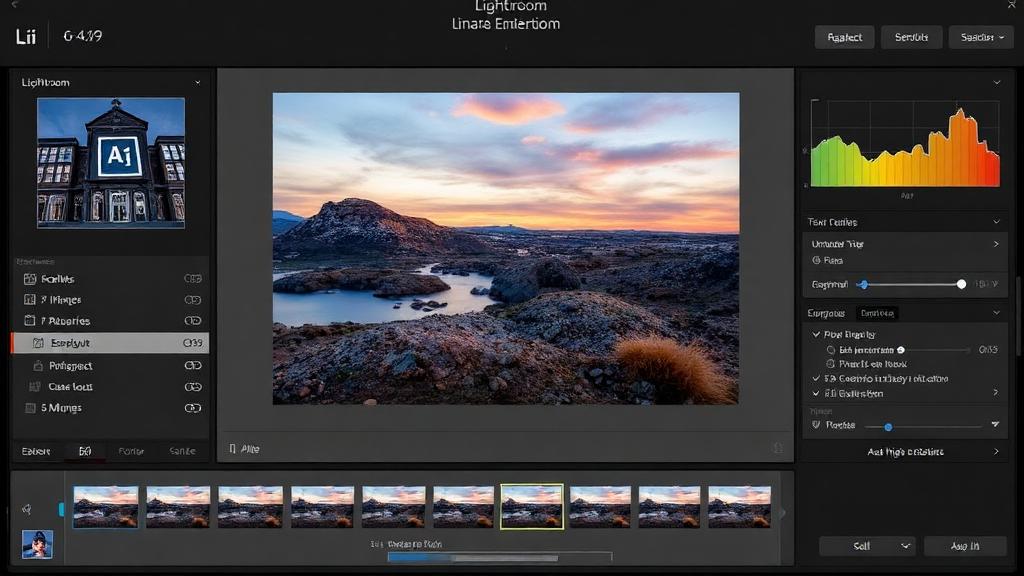
Photo Mechanic and AI culling solve different parts of the same problem. Photo Mechanic is built for fast manual viewing and tagging, while AI culling can screen a gallery for technical faults such as closed eyes, unintended blur, and near-duplicate bursts. The creative choices that define a delivered story, such as emotion, narrative order, client priorities, and intentional imperfection, should stay with the photographer.
This guide is for wedding, event, portrait, and family photographers who cull by hand today and want to know which tasks they can safely hand off and which they should keep.
What Photo Mechanic Does Well and Where Manual Culling Slows Down
Photo Mechanic is popular because it gets out of the way. You ingest cards, flip through embedded previews quickly, and tag, star, or color-class frames with keyboard shortcuts. The photographer still makes every decision, one frame at a time.
That control is also the bottleneck. Picture a wedding photographer who comes home with 4,000 frames. Much of the first pass is not creative judgment. It is rejection: blinks mid-toast, soft focus on a fast processional, and twelve nearly identical frames of the ring exchange. Those calls are repetitive, and they wear down the attention you need for the harder decisions later.
The real question in photo mechanic vs ai culling is not which tool is better. It is which decisions are mechanical and which are editorial.
What AI Culling Can Reliably Take Off Your Plate
AI culling works best on objective, checkable criteria. In Imagick, AI Cull scores every photo, flags closed eyes and unintended blur, groups near-duplicate shots, and picks the best shot of each group. In practice, that covers three jobs:
1. Blink screening. Frames where a subject's eyes are closed get flagged, so you can confirm them instead of hunting for them.
2. Blur screening. Unintended softness is flagged. The word "unintended" matters, as the next section explains.
3. Burst consolidation. Near-duplicates are grouped, and one frame is suggested as the strongest. You review a group instead of twelve separate thumbnails.
A practical hybrid workflow looks like this:
- Ingest and back up as usual.
- Run AI culling to flag faults and group duplicates.
- Review the rejects quickly. Don't trust them blindly.
- Within each duplicate group, accept the AI's pick or override it.
- Move on to the creative selection pass, which you do manually.
For how culling fits with editing and delivery, see our AI photo editing workflow overview.
Six Decisions You Should Still Make Yourself
These are the calls where algorithmic scoring is the wrong standard. Each one depends on context the software doesn't have.
1. Peak emotion over technical perfection. A slightly soft frame of a father's face as he sees his daughter can be the image of the day. An AI flag for blur is a prompt to look, not a verdict.
2. Intentional blur and motion. Dragged-shutter dance-floor shots, panning, and dreamy backlit portraits will often look "blurry" to a screening tool. Always review blur flags on creative sequences before you reject them.
3. Meaningful "imperfect" moments. A mid-blink laugh, a toddler squinting into the sun, or a grandparent caught mid-word may be truer than the posed alternative. Family and event clients often treasure these frames.
4. Who must appear. Only you know the bride's late grandmother's sister flew in, or that the CEO must appear in the keynote set. Face grouping helps you check coverage. Imagick's Find people groups the faces in a gallery so you can see every photo of one person. But deciding who matters is your call.
5. Story order and pacing. Choosing the frames that open, carry, and close a gallery is sequencing, not scoring. The "best" frame in a group may still be the wrong one for the story.
6. Variety and final count. Sometimes two near-duplicates both belong, such as a vertical and a horizontal for an album spread. Sometimes a technically weaker frame belongs because it shows a different expression. Final gallery size and balance are business and creative decisions.
Quality-Control Checks Before You Trust the Output
Treat AI culling as a first reader, not a final editor. The NIST AI Risk Management Framework emphasizes human oversight and ongoing evaluation of AI outputs, and that principle applies directly to culling.
- Spot-check rejects on every job. Scroll the rejected pile at speed. You're looking for false positives: intentional blur, expressive blinks, low-light frames.
- Audit duplicate picks on key moments. For the kiss, the vows, or the award handoff, open the whole group yourself.
- Watch for difficult conditions. Heavy backlight, sunglasses, veils, profile angles, and very dark receptions can confuse automated eye and focus checks.
- Confirm coverage by person. Before delivery, check that every VIP, family member, or required subject appears.
- Compare tools on your own work. Run a past gallery through the tool you're testing and compare its results with your original selects. Our AI editing comparison page outlines what to evaluate.
Choosing Between Photo Mechanic, AI Culling, or Both
Use these criteria to decide on photo mechanic vs ai culling for your studio:
- High-volume weddings and events: A hybrid approach usually makes sense. Let AI handle fault screening and grouping, then do your creative pass manually.
- Small portrait sessions: Manual culling may stay faster, because there's less repetitive rejection to automate.
- Metadata-heavy press or event work: Photo Mechanic's captioning and ingest tools may remain central, with AI culling as a pre-filter.
- Consistency across associate shooters: Objective fault flags give second shooters a shared baseline.
Factor in cost alongside time saved. You can review plan options on Imagick pricing.
FAQ
Can AI culling fully replace Photo Mechanic?
For some photographers, yes, but many keep both. AI culling handles technical screening and duplicate grouping. Photo Mechanic remains a fast manual viewer and metadata tool.
Will AI culling reject my intentional motion-blur shots?
It may flag them, because screening tools target unintended blur and creative blur can look similar. Review blur flags on dance-floor and slow-shutter sequences before deleting anything.
Should I let the AI choose the best frame in every burst?
Accept its picks for routine moments. For hero moments, review the full group yourself, since expression and storytelling matter more than technical scores.
How do I make sure no important guest is missing?
Use face grouping to view every photo of each person. Then check that list against the client's must-have list before delivery.