AI Color Grading for Photographers: A Workflow Guide
By Imagick Editorial Team · Published
Understanding AI Color Grading in Photography
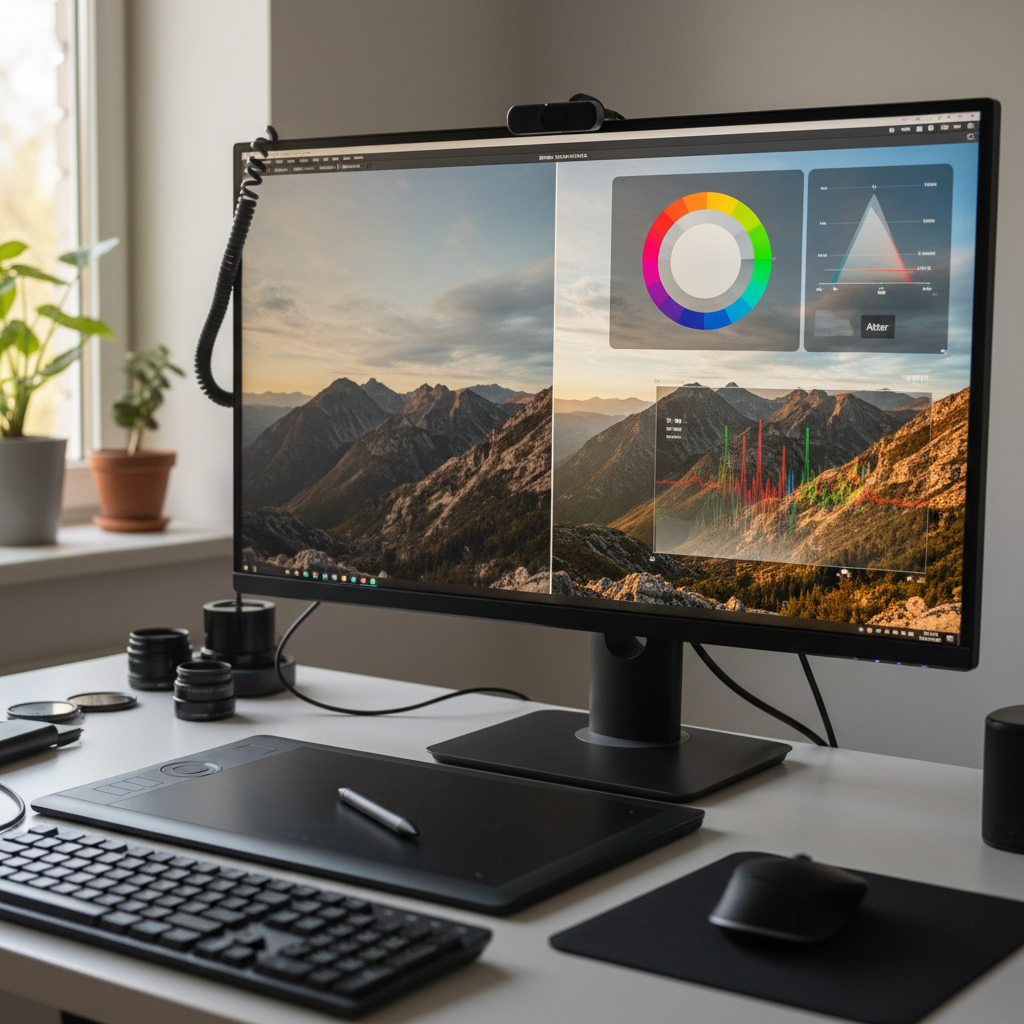
Artificial intelligence (AI) color grading has evolved beyond rudimentary filters, offering professional photographers sophisticated tools for post-production. Unlike static presets that apply a uniform look, AI systems analyze image content to make intelligent, context-aware adjustments. This technology is designed to interpret visual elements within a photograph—such as skin tones, foliage, sky, and various light sources—and apply color corrections that align with a desired aesthetic while maintaining natural appearances.
At its core, AI color grading leverages machine learning algorithms trained on vast datasets of professionally graded images. This training enables the AI to recognize patterns, understand color relationships, and predict optimal adjustments for white balance, exposure, contrast, and color saturation. The goal is not to replace human creativity but to provide a highly refined starting point, streamlining the editing process and enhancing consistency across large galleries.
How AI Color Grading Works
AI color grading platforms operate by processing images through complex neural networks. When an image is submitted, the AI performs several analytical steps:
1. Image Analysis: The AI first identifies key elements within the photograph. This includes object recognition (e.g., faces, landscapes, architectural features) and scene understanding (e.g., indoor, outdoor, time of day, lighting conditions).
2. Contextual Interpretation: Based on its training, the AI interprets the relationships between these elements and the overall lighting. For instance, it can differentiate between natural skin tones under warm sunlight versus those under artificial, mixed lighting.
3. Algorithmic Adjustment: The system then applies a series of algorithmic adjustments. These are not merely global changes but often localized corrections that consider how different color channels interact. For example, it might adjust blues in a sky without adversely affecting blue tones in clothing or shadows.
4. Style Application: Many AI systems can learn and apply a photographer's preferred style or a specific aesthetic. This involves analyzing a set of reference images provided by the photographer and then applying similar characteristics—such as contrast curves, color shifts, and tonal ranges—to new images in a contextually appropriate manner.
This process allows for a more nuanced and intelligent application of color and tone than traditional presets, which often require extensive manual correction after initial application, especially across diverse shooting conditions.
Benefits for Professional Workflows
Integrating AI color grading into a professional photography workflow offers several distinct advantages:
Enhanced Consistency Across Galleries
One of the most significant challenges in event photography, particularly for weddings or large commercial shoots, is maintaining a consistent look across hundreds or thousands of images shot under varying conditions. AI color grading systems excel at unifying the aesthetic of an entire gallery, even when images are captured with different cameras, lenses, or lighting scenarios. This consistency saves substantial time in post-production and delivers a more polished final product to clients. For more on this, see Mastering Color Consistency in Event Photography.
Significant Time Savings
Manual color correction and grading are time-intensive tasks. By automating the initial, foundational adjustments, AI tools drastically reduce the hours spent on repetitive edits. This efficiency allows photographers to allocate more time to creative refinements, client communication, or other business development activities. The time saved in culling and initial edits can be substantial, as explored in The Hidden Cost of Photo Culling.
Improved Starting Point for Creative Edits
Rather than starting from a raw, unedited file or a generic preset, AI provides a highly optimized base image. This allows photographers to jump directly into creative dodging, burning, selective adjustments, and stylistic enhancements within software like Adobe Lightroom, rather than spending time on fundamental corrections. It transforms the initial editing phase from corrective to creative.
Integrating AI into Your Workflow
Adopting AI color grading requires a thoughtful approach to ensure it complements existing processes:
1. Pre-Processing: Ensure images are properly exposed and composed in-camera. While AI can correct many issues, starting with well-captured files yields the best results.
2. AI Application: Upload your selected images to an AI color grading platform. Many services, such as Imagick.ai, allow photographers to train the AI with their own edited reference images, ensuring the AI learns and applies a personalized style. This step forms the core of an AI photo editing workflow.
3. Review and Refine: After AI processing, import the graded images into your preferred editing software (e.g., Lightroom, Capture One). This is where human oversight is crucial. Review each image for any anomalies or areas where the AI's interpretation might deviate from your artistic vision. Make any necessary micro-adjustments, creative enhancements, or localized corrections.
4. Quality Control: Implement a rigorous quality control check. This involves scrutinizing skin tones, white balance accuracy, and overall consistency across the entire gallery. The goal is to ensure the AI-generated base meets professional standards before final delivery.
Limitations and Quality Control
While powerful, AI color grading is a tool, not a complete replacement for human expertise. Its limitations include:
* Complex Lighting Scenarios: Extremely challenging or mixed lighting conditions can sometimes confuse AI algorithms, leading to less-than-ideal results that require manual intervention.
* Artistic Interpretation: AI excels at consistency and technical correction but may not always capture the subtle artistic nuances or specific emotional tone a photographer intends. The final creative vision remains the photographer's responsibility.
* Ethical Considerations: As with any AI technology, understanding its development and potential biases is important. The National Institute of Standards and Technology (NIST) provides guidance on responsible AI use through its AI Risk Management Framework.
Quality Control Checklist:
* Skin Tones: Are they natural and consistent across all subjects and lighting conditions?
* White Balance: Is it accurate for the scene, or does it require fine-tuning?
* Exposure & Contrast: Are the images well-balanced, with appropriate dynamic range?
* Color Shifts: Are there any unintended color casts or shifts in specific hues?
* Overall Consistency: Does the entire gallery maintain a cohesive look and feel?
By understanding both the capabilities and limitations of AI color grading, professional photographers can leverage this technology to enhance their efficiency and output quality, ultimately allowing more time for creative pursuits and business growth. For further insights into optimizing your post-production, consider exploring resources on Automate Your Workflow: Get Your Life Back.
Continue building a reliable editing workflow
Review the Imagick AI workflow, compare options in the AI editing comparison, and check current pricing. For broader professional education, visit Professional Photographers of America.