Automate Your Workflow: Reclaiming Time in Photography
By Imagick Editorial Team · Published
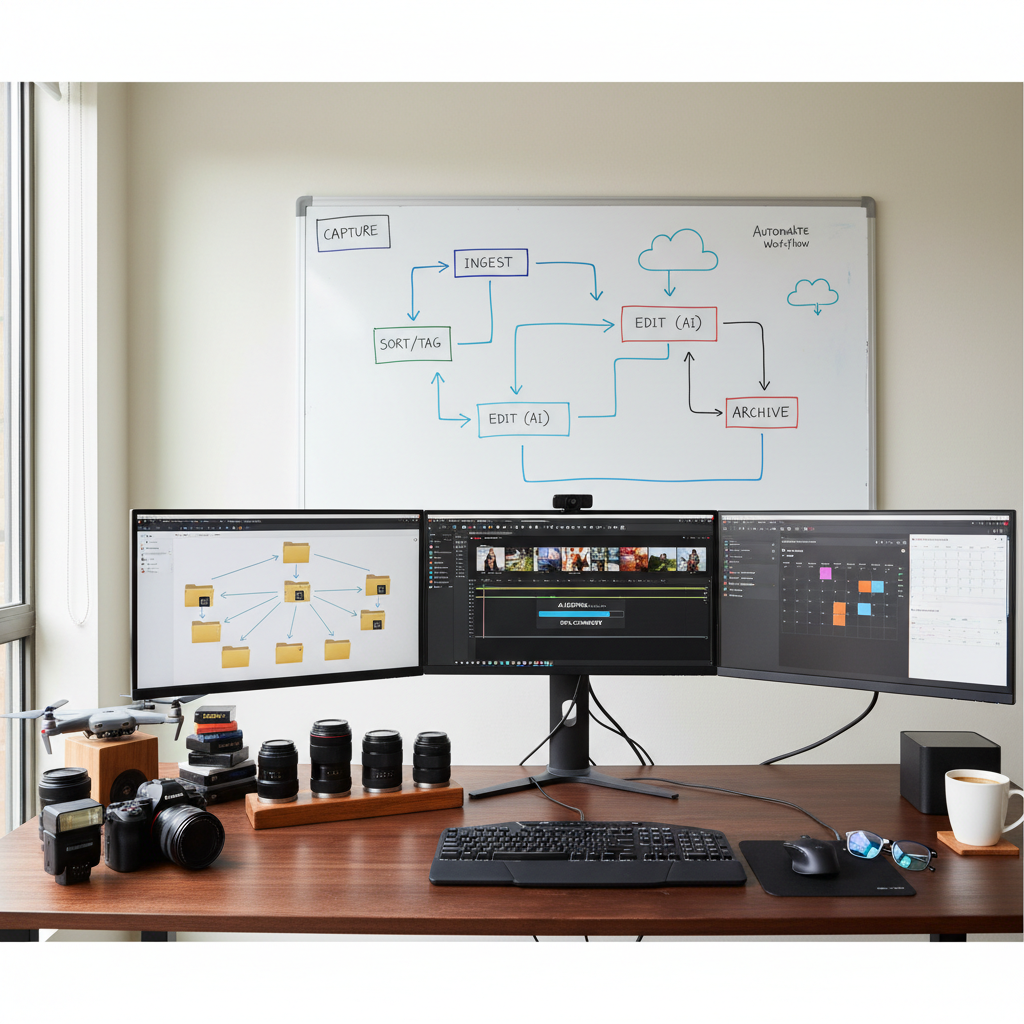
Professional photography, while deeply creative, often involves a significant volume of repetitive, time-consuming tasks. From managing thousands of RAW files to culling, editing, and delivering final galleries, the operational demands can detract from the artistic process and client engagement. Workflow automation offers a strategic solution, enabling photographers to streamline these processes, enhance efficiency, and ultimately reclaim valuable time.
Workflow automation refers to the use of software, systems, and integrated tools to minimize manual intervention in routine tasks. For photographers, this means leveraging technology to handle the digital grunt work, allowing more focus on shooting, client interaction, and artistic refinement. This guide explores practical strategies for integrating automation into a professional photography workflow.
Streamlining Pre-Processing: File Management and Culling
The initial stages of any photography project—ingesting, organizing, and selecting images—are often the most labor-intensive. Automation can significantly reduce this burden.
Consistent File Management
Establishing a consistent file naming and organization system is foundational. Instead of manually renaming individual files, utilize batch renaming features available in operating systems or professional photo management software like Adobe Lightroom. A standardized approach, incorporating elements such as date, client name, and event, ensures easy retrieval and reduces the risk of misplacing files. Automated import presets can also apply initial metadata and move files to designated folders upon card ingestion, saving setup time for each new project.
Efficient Image Culling
Culling, the process of selecting the best images from a large shoot, can be a major time sink. Traditional methods involve manual review, often using star ratings or color labels. While human judgment remains crucial for artistic selection, AI-assisted culling tools can provide a powerful first pass. These applications can identify and flag common issues such as duplicates, out-of-focus shots, or images with closed eyes, presenting a curated selection for the photographer's final review. This significantly reduces the volume of images requiring individual scrutiny.
Decision Criteria for AI Culling:
* Speed vs. Control: AI offers speed but requires human oversight to ensure artistic intent and client preferences are met.
* Accuracy: Evaluate the software's performance with diverse image sets and lighting conditions.
* Integration: Consider how well the culling tool integrates with existing editing software.
Quality Control: Always perform a final human review of AI-culled selections, particularly for hero shots or images with subtle emotional nuances that AI might overlook.
Leveraging AI for Efficient Photo Editing
Photo editing is often the most time-consuming phase of the post-production workflow. AI-powered editing tools are transforming this process by automating repetitive adjustments while maintaining consistency.
AI editing solutions can apply consistent base edits across large galleries, handling adjustments such as exposure, white balance, and color correction. This approach allows photographers to maintain their signature style, often by training the AI with their own edited reference images, while significantly reducing the manual effort involved in bulk processing. Services like Imagick.ai can process entire galleries, applying a uniform look that aligns with a photographer's established aesthetic. This frees up time for photographers to focus on intricate retouching, creative enhancements, or specific adjustments to key images that require a personalized touch.
Limitations and Considerations:
* Artistic Vision: AI excels at consistency and technical corrections but complements, rather than replaces, a photographer's unique artistic vision. Complex creative edits or highly stylized looks may still require manual intervention.
* Training Data: The effectiveness of AI often depends on the quality and consistency of the training data provided, such as a photographer's past edited work.
Quality Control: A critical step in an AI photo editing workflow is reviewing the AI-edited images. This ensures that the results align with the photographer's standards and client expectations, especially for images destined for print or prominent display. For more insights into balancing quality and speed, refer to Photo Quality & Speed: Essential for Pro Photographers.
Post-Processing and Delivery Automation
Beyond culling and editing, the final stages of a project can also benefit from automation, accelerating delivery and improving client experience.
* Batch Exporting: Configure export presets in editing software to automatically apply desired file types, resolutions, and watermarks for different uses (e.g., web, print, social media). This eliminates repetitive manual adjustments for each image or gallery.
* Automated Gallery Uploads: Many client gallery platforms offer integrations or smart folder monitoring that can automatically upload exported images. This reduces the manual drag-and-drop process and ensures files are available to clients quickly.
* Client Communication: Utilize client management software to automate emails for gallery delivery, payment reminders, or follow-ups. This maintains consistent communication without constant manual effort, contributing to a positive client experience and potentially generating Fast Delivery: Your Catalyst for Photography Referrals.
* Automated Backups: Implement cloud-based backup solutions that automatically sync new or modified files. This ensures data security without requiring manual initiation.
Implementing an Automated Workflow: A Practical Checklist
Adopting automation is a process of gradual integration and refinement. Consider the following steps:
1. Assess Current Workflow: Identify bottlenecks and repetitive tasks that consume the most time.
2. Research Tools: Explore available software for culling, AI editing, asset management, and client delivery. Look for compatibility and integration capabilities.
3. Define Standards: Establish clear guidelines for file naming, editing styles, and delivery formats to ensure consistency across automated processes.
4. Integrate Gradually: Introduce one automation tool or process at a time, allowing for adaptation and troubleshooting.
5. Test and Refine: Continuously evaluate the effectiveness and accuracy of automated steps. Adjust settings and workflows as needed.
6. Maintain Oversight: Automation reduces manual effort but does not eliminate the need for professional oversight and quality control. Regularly review outputs to ensure they meet your standards.
7. Consider AI Ethics: When integrating AI, it is prudent to consider frameworks for responsible AI use, such as the NIST AI Risk Management Framework, to ensure transparency and accountability.
By strategically implementing automation, professional photographers can transform their operational efficiency. This shift allows for a greater allocation of time and energy to the creative aspects of photography, client relationships, and business growth, ultimately leading to a more sustainable and fulfilling career.
Continue building a reliable editing workflow
Review the Imagick AI workflow, compare options in the AI editing comparison, and check current pricing. For broader professional education, visit Professional Photographers of America.