AI Lighting Correction: Master Challenging Light
By Imagick Editorial Team · Published
The Persistent Challenge of Difficult Lighting
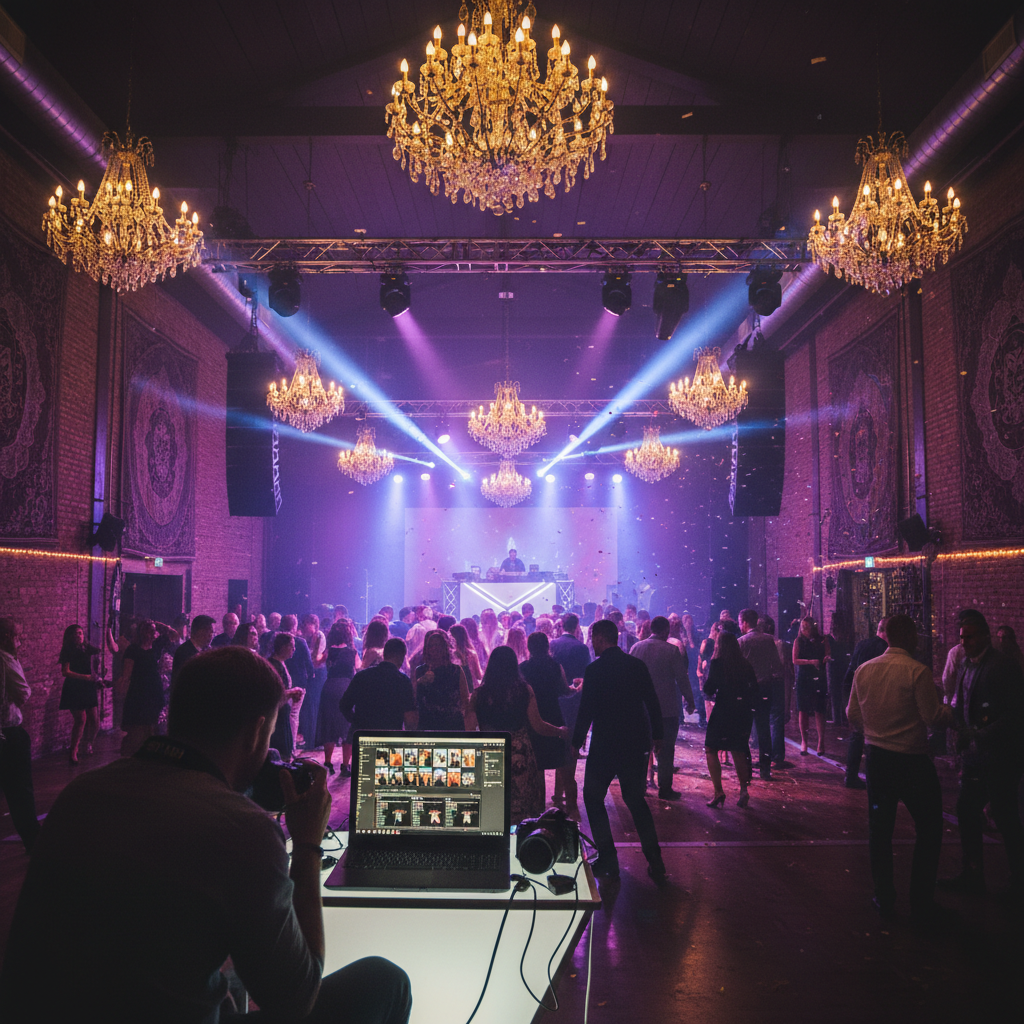
Professional photographers frequently encounter challenging lighting conditions across various genres, from the mixed ambient light of a wedding reception to the unpredictable natural light of an outdoor portrait session. These scenarios often result in images with inconsistent exposures, color casts, harsh shadows, or blown-out highlights, demanding significant post-production effort. Manually correcting these issues—adjusting white balance, exposure, shadows, highlights, and individual color channels—can be a time-consuming and labor-intensive process, impacting workflow efficiency and delivery timelines. The goal is always to produce high-quality, consistent images that meet client expectations, regardless of the initial capture conditions. This pursuit has led many to explore advanced tools, including artificial intelligence, to streamline and enhance the lighting correction process.
How AI Lighting Correction Works
AI lighting correction tools leverage machine learning algorithms trained on vast datasets of images to analyze and intelligently adjust photographic lighting. Unlike traditional global adjustments, AI systems can often identify specific elements within an image—such as subjects, backgrounds, and light sources—and apply localized corrections.
Intelligent Scene Analysis
The core of AI lighting correction lies in its ability to interpret the visual content of a photograph. AI models can detect common lighting issues like underexposure, overexposure, color imbalances (e.g., strong magenta or green casts), and areas with insufficient dynamic range. They can differentiate between various light sources, such as natural daylight, artificial tungsten, fluorescent, or mixed lighting, and propose adjustments that aim to neutralize unwanted color shifts while preserving natural skin tones and scene ambiance.
Adaptive Adjustments
Instead of applying uniform changes across an entire image, AI algorithms can make adaptive adjustments. For instance, they might selectively lift shadows in a subject's face without overexposing a brightly lit background, or reduce a color cast in one area while maintaining the intended color palette elsewhere. This capability is particularly valuable in complex scenes where multiple light sources create conflicting color temperatures or uneven illumination. Platforms like Imagick.ai are designed to analyze these complex lighting scenarios and suggest nuanced corrections that aim for a balanced and natural appearance. This process often involves analyzing pixel data to understand luminosity, color temperature, and contrast, then applying sophisticated algorithms to optimize these parameters.
Strategic Benefits for Professional Photographers
Integrating AI lighting correction into a professional workflow offers several strategic advantages, primarily centered on efficiency, consistency, and quality.
Enhanced Efficiency
One of the most significant benefits is the substantial reduction in manual editing time. Photographers can process large volumes of images more quickly, freeing up hours that would otherwise be spent on repetitive adjustments. This efficiency gain is crucial for high-volume genres like wedding and event photography, where hundreds or thousands of images require consistent treatment. By automating initial lighting corrections, photographers can dedicate more time to creative edits and client interaction.
Improved Consistency
Maintaining a consistent look across an entire gallery, especially when shooting in varied lighting conditions, is a persistent challenge. AI tools can help standardize lighting and color balance, ensuring that images from different parts of an event or session exhibit a cohesive aesthetic. This consistency is vital for delivering a polished and professional final product.
Superior Image Quality in Challenging Conditions
AI lighting correction can often achieve results that are difficult or time-consuming to replicate manually. It can effectively mitigate issues like extreme color casts, recover detail in blown-out highlights or deep shadows, and balance dynamic range in ways that feel natural. This leads to higher overall image quality, even from captures made under less-than-ideal lighting. For photographers exploring these capabilities, understanding the potential impact on their output is key to getting started with AI photo editing.
Integrating AI into Your Post-Production Workflow
Incorporating AI lighting correction into an existing workflow requires thoughtful integration to maximize its benefits.
Pre-Processing and Culling
Before applying AI corrections, it is essential to perform initial culling to select only the strongest images. Basic lens corrections (e.g., chromatic aberration, distortion) can also be applied in a program like Adobe Lightroom before sending files to an AI service. This ensures the AI works with the cleanest possible input.
Batch Processing and Initial Adjustments
Many AI lighting correction tools are designed for batch processing, allowing photographers to upload entire galleries or large sets of images. The AI then analyzes and applies its suggested corrections. This initial pass can serve as a strong foundation, addressing the most common lighting issues across the entire set. For a comprehensive approach, consider how this fits into a broader AI photo editing workflow.
Post-AI Refinement
While AI can handle many corrections, human oversight and artistic refinement remain critical. After the AI has processed images, photographers should review the results in their preferred editing software. This stage involves making fine-tuned adjustments to match personal style, client preferences, or specific creative visions that the AI might not fully capture. This could include subtle tweaks to contrast, saturation, or local adjustments to specific areas. The goal is to leverage AI for efficiency while retaining artistic control.
Cloud-Based vs. Desktop Solutions
Photographers have options for AI integration, including desktop software with AI features and cloud-based services. Cloud-based solutions often offer scalability and accessibility, allowing processing to occur off-site without taxing local machine resources. Exploring the advantages of cloud photo editing can inform decisions about workflow optimization.
Limitations and Responsible AI Use
While powerful, AI lighting correction tools are not without limitations. Understanding these can help photographers use them more effectively and responsibly.
Scenarios Where AI May Struggle
AI algorithms are trained on existing data, and highly unusual or creative lighting setups might not be interpreted as intended. Extreme artistic lighting, intentional color grading, or very complex mixed-light scenarios can sometimes lead to less-than-optimal AI suggestions. In such cases, manual intervention or a more targeted approach may be necessary. AI might also struggle with highly reflective surfaces or intricate patterns, where its interpretation of "correct" lighting could deviate from artistic intent.
The Importance of Human Oversight
AI tools are assistants, not replacements for a photographer's expertise. Critical human review is essential to ensure that AI-applied corrections align with the artistic vision and client expectations. Photographers must remain the final arbiters of image quality and aesthetic.
Ethical Considerations and Authenticity
As AI becomes more sophisticated, questions around image authenticity and provenance become increasingly relevant. While lighting correction is generally considered a standard part of post-production, photographers should be mindful of the extent of AI modifications, especially in contexts where journalistic integrity or factual representation is paramount. Resources like the NIST AI Risk Management Framework provide guidance on responsible development and use of AI systems, encouraging transparency and accountability.
Quality Control and Best Practices Checklist
To maximize the benefits of AI lighting correction, implement a robust quality control process.
Pre-AI Preparation:
* Cull rigorously: Only process images worth keeping.
* Apply basic lens corrections: Address distortion, chromatic aberration, and vignetting.
* Standardize initial settings: Ensure a consistent starting point for the AI (e.g., import presets).
During AI Processing:
* Understand AI's default behavior: Learn how the specific AI tool typically handles different lighting scenarios.
* Experiment with settings (if available): Some tools offer options to fine-tune AI aggressiveness or style.
Post-AI Review and Refinement:
* Review all AI-corrected images: Critically assess each image for accuracy and aesthetic appeal.
* Check for artifacts: Look for unnatural transitions, color banding, or other processing errors.
* Verify skin tones: Ensure natural and consistent skin tones across subjects.
* Maintain brand consistency: Adjust AI outputs to align with your unique photographic style.
* Perform final manual adjustments: Apply creative edits, local adjustments, and sharpening as needed.
* Compare before-and-after: Use this to gauge the AI's effectiveness and learn its strengths and weaknesses.
By adhering to these practices, professional photographers can effectively leverage AI lighting correction to overcome challenging light, enhance workflow efficiency, and consistently deliver high-quality images to their clients.
Continue building a reliable editing workflow
Review the Imagick AI workflow, compare options in the AI editing comparison, and check current pricing. For broader professional education, visit Professional Photographers of America.