Achieving Product Photography Consistency at Scale
By Imagick Editorial Team · Published
The Imperative of Consistency in Product Photography
In the competitive landscape of e-commerce, product photography serves as a primary visual interface between a brand and its customers. Achieving consistency across a product line is not merely an aesthetic preference; it is a fundamental requirement for building brand trust, enhancing perceived quality, and streamlining the customer's shopping experience. When images exhibit uniform lighting, color accuracy, background treatment, and perspective, they convey professionalism and allow customers to focus on the product itself, rather than being distracted by visual discrepancies. For professional photographers working with extensive product catalogs, the challenge lies in replicating this precision across hundreds or even thousands of images, often captured over different sessions or with varying product batches.
This guide outlines a comprehensive approach to achieving and maintaining product photography consistency at scale, from meticulous studio setup to advanced post-production techniques, including the strategic integration of AI-assisted workflows.
Establishing a Foundation: Consistent Capture Techniques
The journey to consistent product photography begins long before post-production, with a disciplined approach to the capture phase. A controlled studio environment is paramount.
Studio Setup and Lighting
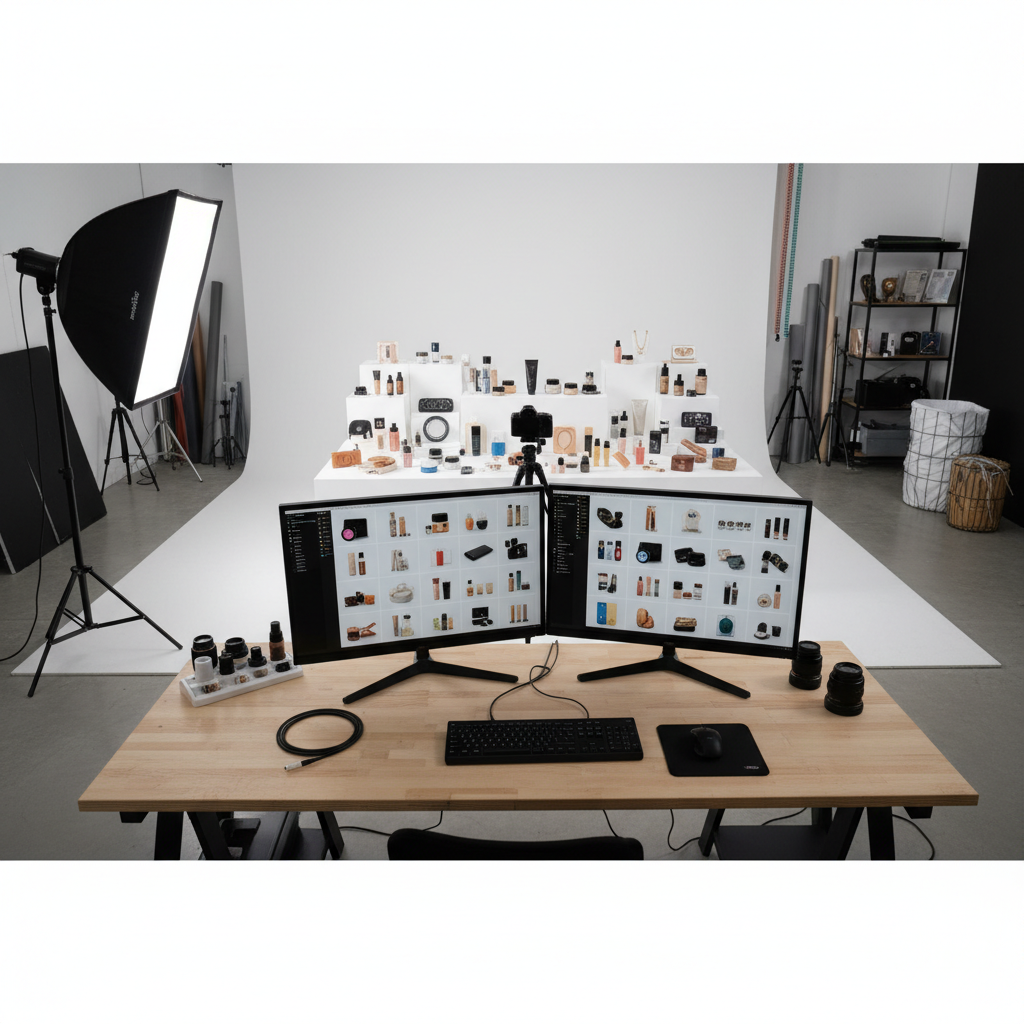
* Controlled Lighting: Utilize a consistent lighting setup, typically with strobes or continuous lights, to ensure repeatable illumination. Document light positions, power settings, and modifiers (e.g., softboxes, reflectors) for each product type or series. This documentation is crucial for replicating the setup in future shoots.
* Background Uniformity: Employ seamless backdrops (white, grey, or specific brand colors) that can be easily replicated. Ensure the background is evenly lit and free of wrinkles or imperfections.
* Camera and Lens: Use a fixed camera position and lens for an entire product line to maintain consistent perspective and focal length. Tethering the camera to a computer allows for immediate review of images on a larger screen, facilitating real-time adjustments and ensuring critical focus and composition.
Product Staging and Reference Shots
* Precise Placement: Develop a system for product placement, using markers, grids, or custom jigs to ensure every item occupies the exact same position relative to the camera and lights. This is especially vital for products requiring specific angles or arrangements.
* Style Guides: Adhere strictly to a pre-defined style guide that dictates angles, props, and overall aesthetic. This guide should include reference images for each product type, serving as a visual benchmark during the shoot.
* White Balance and Exposure: Calibrate white balance using a gray card or color checker at the beginning of each session and periodically throughout. Shoot in manual mode to maintain consistent exposure settings (aperture, shutter speed, ISO) across all images.
Navigating Post-Production Challenges at Scale
Even with the most meticulous capture process, post-production is where the final layer of consistency is applied. For large volumes of images, this phase can become a significant bottleneck if not managed efficiently.
Initial Processing and Culling
* Raw Conversion: Begin by importing raw files and applying a standardized base profile. This ensures a neutral starting point for all images. Software like Adobe Lightroom offers robust tools for initial organization, culling, and applying basic adjustments across batches.
* Color Correction: One of the most challenging aspects of consistency is color matching. Subtle variations in product materials, ambient light, or even camera sensor response can lead to color shifts that require precise correction. Manually matching colors across hundreds of images, especially when aiming for specific brand hex codes, is time-consuming and prone to human error.
* Background Cleanup and Retouching: Ensuring a perfectly clean, uniform background and consistent shadow placement across all images demands careful attention. Manual cloning, masking, and dodging/burning for each image can be a laborious process.
Enhancing Consistency with AI-Assisted Workflows
Artificial intelligence (AI) tools are increasingly becoming integral to modern photography workflows, offering solutions to the scalability challenges of post-production consistency. These tools can automate repetitive tasks, reduce processing times, and enhance precision.
How AI Supports Consistency
* Automated Color Correction and Matching: AI algorithms can analyze images, identify color discrepancies, and apply corrections to match a reference image or a predefined color profile. This capability significantly reduces the manual effort required for color grading and ensures uniformity across a large gallery.
* Consistent Background Removal and Replacement: AI-powered background removal tools can accurately isolate products from their backgrounds, allowing for consistent white, transparent, or custom backgrounds to be applied across all images with minimal manual intervention.
* Style Application: AI can learn and apply specific editing styles, including exposure, contrast, and tone curves, consistently across entire batches of images, ensuring a cohesive look and feel that aligns with brand guidelines.
Platforms like Imagick.ai are designed to integrate these AI capabilities into a professional workflow, assisting photographers in maintaining high levels of consistency without sacrificing efficiency. By automating the more tedious and repetitive aspects of editing, photographers can allocate more time to creative tasks and critical quality control. Understanding the broader landscape of AI photo editing workflow can help professionals integrate these tools effectively. For those evaluating different solutions, an AI editing comparison can provide valuable insights into specific feature sets and capabilities.
Implementing Robust Quality Control
Even with advanced AI assistance, human oversight remains indispensable. Quality control is the final safeguard to ensure that all images meet the client's specifications and brand standards.
* Multi-Stage Review: Implement a review process that includes spot checks, side-by-side comparisons with reference images, and a final comprehensive review of the entire gallery. Pay close attention to color accuracy, background uniformity, product integrity, and overall aesthetic consistency.
* Client Feedback Loop: Establish a clear communication channel with clients for feedback. Provide them with a selection of edited images for approval early in the process to confirm that the desired consistency and style are being met. This proactive approach can help avoid missed wedding photo deadlines: proven strategies by ensuring alignment before final delivery, a principle applicable across all photography genres.
* Technical Compliance: Verify that all images comply with the technical requirements of various e-commerce platforms (e.g., file size, resolution, aspect ratio, metadata). Responsible use of AI also involves understanding its limitations and potential biases, aligning with principles outlined in resources like the NIST AI Risk Management Framework.
A Practical Checklist for Product Photography Consistency
To summarize, here is a concise checklist for achieving consistent product photography at scale:
* Pre-Production:
* Develop a detailed style guide with reference images.
* Plan and document studio lighting and camera setup.
* Create product staging guides (markers, jigs).
* Capture Phase:
* Use manual camera settings and consistent white balance.
* Tether camera for real-time review.
* Capture reference shots for each product type.
* Post-Production:
* Apply standardized raw conversion profiles.
* Utilize AI tools for batch color correction, background removal, and style application.
* Perform manual fine-tuning for critical details.
* Quality Control:
* Conduct multi-stage reviews, including side-by-side comparisons.
* Obtain client approval on initial edits.
* Verify technical compliance for e-commerce platforms.
By systematically implementing these strategies, professional photographers can deliver high-quality, consistent product imagery efficiently, meeting the rigorous demands of the e-commerce market.
Continue building a reliable editing workflow
Review the Imagick AI workflow, compare options in the AI editing comparison, and check current pricing. For broader professional education, visit Professional Photographers of America.