Bulk Product Photography Editing: High-Volume Workflow
By Imagick Editorial Team · Published
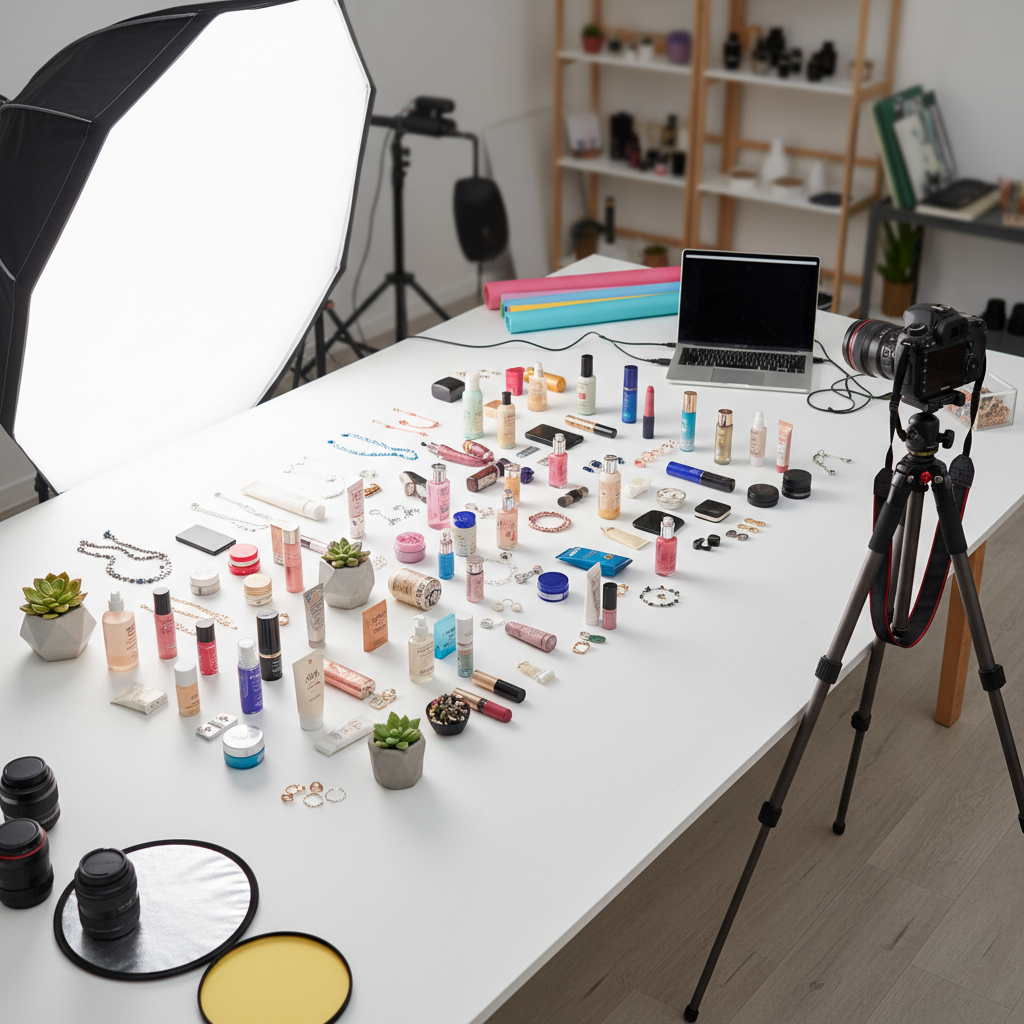
Professional product photography often involves managing extensive inventories, sometimes encompassing hundreds or even thousands of unique items, or SKUs (Stock Keeping Units). This scale presents distinct challenges, particularly in maintaining visual consistency and efficiency throughout the capture and post-production phases. This guide outlines a structured approach to handling high-volume product photography, focusing on strategies for streamlined editing and workflow optimization.
Strategic Pre-Production Planning for Scale
Effective management of bulk product photography begins long before the first shutter click. Thorough pre-production planning is crucial for defining project scope, managing client expectations, and establishing an efficient workflow.
Client Communication and Scope Definition
Initiate detailed discussions with the client to understand their specific needs and the intended use of the images. Key considerations include:
* Number of SKUs: Confirm the exact quantity of products.
* Required Angles: Determine the number of shots per product (e.g., front, ¾, top-down, detail shots).
* Background Requirements: Specify white, transparent, or lifestyle backgrounds.
* Retouching Level: Define the extent of post-production, from basic cleanup to advanced retouching.
* Deliverable Formats: Agree on file types (JPEG, PNG, TIFF), resolutions, and color profiles.
Clearly outlining these parameters helps prevent scope creep and ensures both parties have a shared understanding of the project. Establishing realistic timelines and delivery expectations is also vital for large projects; insights from resources like Avoid Missed Wedding Photo Deadlines: Proven Strategies can be adapted to general project management for any high-volume photography.
Product Organization and Grouping
Upon receiving products, implement a systematic organization strategy. Grouping similar items (e.g., by size, material, color, or packaging type) can significantly reduce setup and adjustment time in the studio. This approach minimizes the need for frequent changes to lighting, camera settings, and staging, thereby enhancing efficiency.
Optimizing the Studio Workflow for Consistency
The studio phase for bulk product photography prioritizes consistency and repeatability over individual artistic expression. The goal is to capture images that are uniform in lighting, exposure, and perspective, facilitating efficient batch processing in post-production.
Standardized Setup and Lighting
Utilize a consistent studio setup. A white sweep or a dedicated product photography light tent can provide a neutral, repeatable background. Employ a fixed lighting arrangement, such as a large softbox for soft, even illumination, often paired with a reflector to manage shadows. Once established, this setup should remain unchanged for all products within a similar group.
Tethered Shooting and Presets
Shooting tethered directly into software like Adobe Lightroom or Capture One offers immediate feedback and allows for the application of base presets. These presets can standardize white balance, exposure, and color profiles across all captured images, ensuring a consistent starting point for post-production. This real-time review helps identify and correct issues during the shoot, preventing costly re-shoots.
Efficient Capture Strategy
Develop a systematic capture strategy for each product. For instance, if three angles are required, shoot all three angles for one product, then move to the next. Alternatively, shoot the first angle for all products in a group, then the second, and so on. This method minimizes camera and product repositioning, maximizing throughput.
Streamlining Post-Production with Batch Processing
Post-production for high-volume projects relies heavily on batch processing and automation. Manual, individual editing of hundreds of images is often impractical and time-consuming.
Culling and Initial Adjustments
Begin by efficiently culling images, removing out-of-focus shots, duplicates, or those with errors. Apply global adjustments (e.g., exposure, contrast, white balance) to the selected images using the base presets established during tethered shooting. This ensures a consistent foundation for all subsequent edits.
Leveraging AI for Efficiency
AI-powered platforms can significantly accelerate the post-production workflow for bulk product photography. Tools like Imagick.ai are designed to automate repetitive tasks across large batches of images. Capabilities often include:
* Background Removal: Automatically isolating products from their backgrounds, creating transparent PNGs or placing them on a pure white background.
* Color Correction: Standardizing color accuracy and consistency across an entire product line.
* Basic Retouching: Performing minor blemish removal or dust spot correction.
Integrating an AI photo editing workflow can free photographers to focus on more complex, creative tasks or hero shots that require a human touch. When evaluating such tools, consider their accuracy, speed, and integration with existing software. A detailed AI editing comparison can help determine the best fit for specific project needs.
Quality Control and Delivery
Even with automated processes, a robust quality control (QC) phase is essential to ensure all deliverables meet client expectations and maintain professional standards.
Batch Review and Consistency Checks
Conduct thorough reviews of processed image batches. Pay close attention to:
* Color Accuracy: Verify that product colors are true to life and consistent across all images.
* Background Uniformity: Ensure backgrounds are clean and consistent.
* Retouching Quality: Check for any artifacts or inconsistencies from automated retouching.
* File Specifications: Confirm correct resolution, file type, and naming conventions.
Client Review and Final Delivery
Provide clients with a clear method for reviewing images, such as an online gallery. Incorporate their feedback efficiently. For final delivery, use secure and reliable platforms, ensuring files are organized logically and meet all agreed-upon specifications.
Practical Checklist for Bulk Product Photography
* Define Scope: Confirm SKU count, angles, backgrounds, retouching, and deliverables with the client.
* Organize Products: Group similar items for efficient shooting.
* Standardize Setup: Establish consistent lighting and camera settings.
* Shoot Tethered: Use presets for immediate feedback and base adjustments.
* Batch Process: Apply global adjustments to all images.
* Utilize AI Tools: Employ platforms like Imagick.ai for automated background removal, color correction, and basic retouching.
* Perform QC: Review batches for consistency in color, background, and retouching.
* Secure Delivery: Organize and deliver final files via a reliable platform.
Continue building a reliable editing workflow
Review the Imagick AI workflow, compare options in the AI editing comparison, and check current pricing. For broader professional education, visit Professional Photographers of America.