Fashion Photography: Consistent Editing Aesthetic
By Imagick Editorial Team · Published
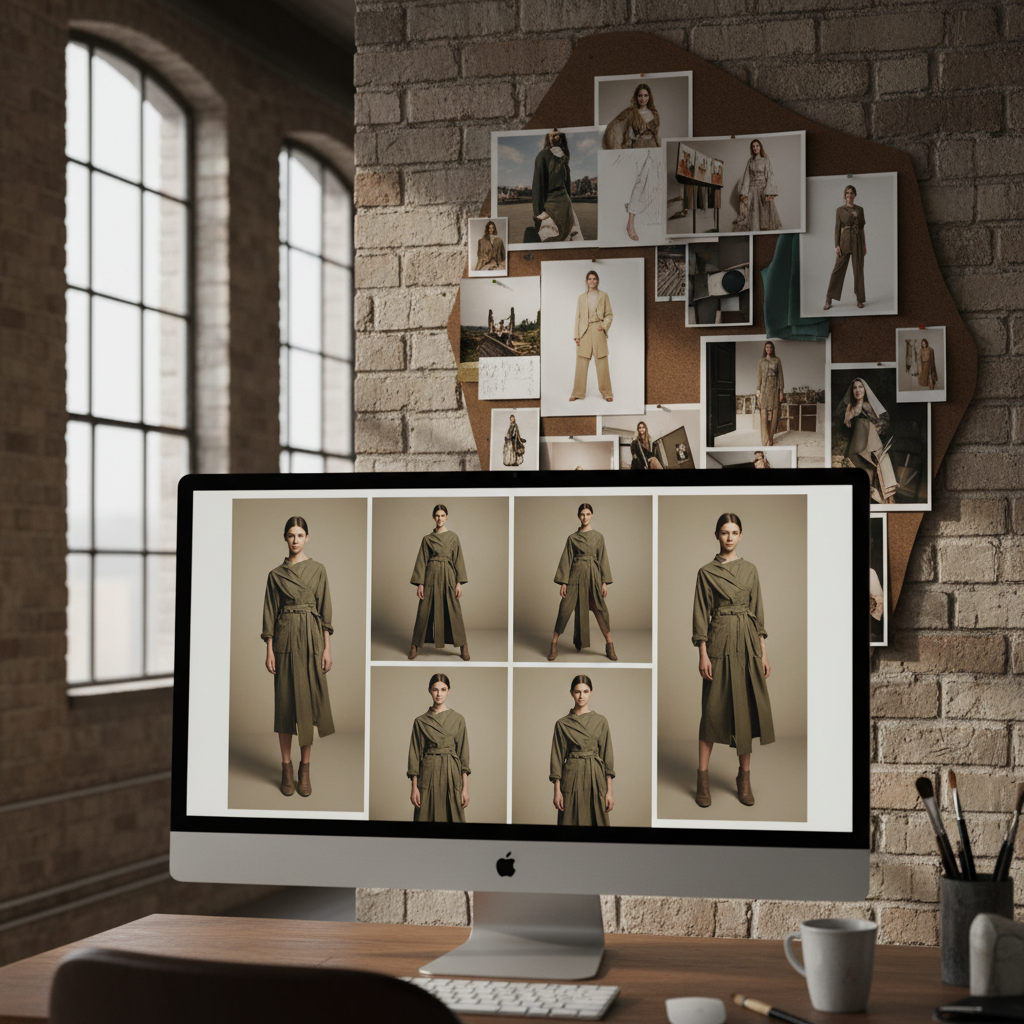
The Criticality of Consistency in Fashion Photography
In fashion photography, visual consistency is not merely an aesthetic preference; it is a fundamental requirement for establishing brand identity and conveying a cohesive narrative. Whether producing images for a lookbook, an editorial spread, or an e-commerce catalog, each photograph must contribute to a unified visual story. Clients expect a seamless aesthetic across an entire collection, ensuring that garments, models, and overall mood appear harmonious, regardless of when or where individual shots were captured. This demand for uniformity, often across hundreds or even thousands of images, presents a significant post-production challenge for professional photographers.
Challenges in Achieving Visual Cohesion
Maintaining visual cohesion across a large volume of fashion photographs is complex due to numerous variables introduced during a shoot. Factors such as fluctuating natural light, subtle shifts in artificial lighting setups, variations in makeup application, changes in styling, and even minor adjustments to camera settings can lead to inconsistencies in raw files. These discrepancies, though sometimes subtle, can manifest as noticeable differences in color temperature, exposure, contrast, and skin tones when viewed collectively. Manually correcting these variations on an image-by-image basis is time-consuming and can introduce further inconsistencies if not executed with extreme precision. The objective is to ensure that every image, despite its unique capture conditions, appears to belong to the same photographic series, reflecting a singular artistic vision.
Establishing a Foundation: Pre-Production and Capture Strategies
Achieving editing consistency begins long before images reach the post-production stage. A robust pre-production and on-set strategy is essential for minimizing variations in raw files and streamlining the editing workflow.
Pre-Production Planning
* Mood Boards and Style Guides: Develop detailed mood boards that define the desired aesthetic, color palette, lighting style, and overall tone. Share these with the entire creative team (stylists, makeup artists, art directors) to ensure a shared vision.
* Lighting Diagrams: Plan lighting setups meticulously. Document specific light modifiers, power settings, and camera-to-subject distances to replicate conditions consistently across different looks or shooting days.
On-Set Practices
* Controlled Lighting: Utilize controlled lighting environments, such as studio strobes, to minimize ambient light influence. When shooting on location, adapt to natural light changes by adjusting camera settings or using portable modifiers.
* Consistent Camera Settings: Maintain consistent white balance, ISO, aperture, and shutter speed as much as possible within a specific lighting setup. Use a gray card or color checker at the beginning of each new lighting scenario to establish accurate white balance and color profiles.
* Tethered Shooting: Employ tethered shooting to review images in real-time on a larger monitor. This allows for immediate identification and correction of inconsistencies in lighting, exposure, or styling, preventing issues from compounding across a shoot. For further education on professional practices, resources like the Professional Photographers of America education offer valuable insights.
Post-Production Workflow for Aesthetic Consistency
A structured post-production workflow is critical for translating raw captures into a cohesive final gallery. This process typically involves several stages, each contributing to the overall consistency.
Initial Adjustments and Master Edit
1. Ingestion and Culling: Import all raw files into a robust photo management software like Adobe Lightroom. Cull images efficiently, selecting only the strongest shots that align with the project's vision.
2. Global Corrections: Apply initial global adjustments (exposure, white balance, contrast) to a representative image from each distinct lighting setup. This establishes a baseline for the set.
3. Develop a Master Edit: Select a 'hero' image that embodies the desired final aesthetic. Perform detailed adjustments, including color grading, tone curve adjustments, HSL (Hue, Saturation, Luminance) manipulations, and initial sharpening. This image will serve as the template for the entire collection.
Batch Application and Refinement
Preset Creation and Application: Create a custom preset from the master edit. Apply this preset to all relevant images within the gallery. It is crucial to understand that batch application of presets provides a starting point* and rarely yields perfect results without further refinement.
* Individual Adjustments: Systematically review each image, making micro-adjustments to exposure, white balance, and local corrections to account for subtle variations that the preset could not fully address. Pay close attention to skin tones, fabric colors, and background consistency.
* Color Grading: Ensure the overall color palette remains consistent across all images. This involves fine-tuning hues and saturation to maintain a unified visual language.
* Retouching: Standardize retouching practices for skin, hair, and fabric. Develop a consistent approach to blemish removal, skin smoothing, and fabric enhancement to ensure a uniform level of polish across the entire set.
Leveraging AI for Enhanced Consistency and Efficiency
Artificial intelligence (AI) tools are increasingly integrated into professional photography workflows to enhance efficiency and consistency, particularly in high-volume scenarios like fashion photography. AI-powered editing platforms can significantly streamline the initial stages of post-production by providing a consistent baseline for edits.
Platforms like Imagick.ai analyze images to apply intelligent adjustments, such as color correction, exposure balancing, and even skin tone harmonization, across an entire gallery. This capability can establish a more consistent starting point than traditional batch preset application, which often requires extensive manual finessing. By automating these foundational adjustments, photographers can dedicate more time to creative retouching, fine-tuning details, and applying their unique artistic vision—tasks that still require human expertise and discernment. This integration allows for a more efficient AI photo editing workflow and can be evaluated against other methods through an AI editing comparison.
While AI offers powerful assistance, it functions as a tool to augment, not replace, the photographer's skill. Human oversight remains essential to ensure that AI-generated edits align with the specific artistic direction and brand requirements of each project. Responsible implementation of AI in creative workflows is also an important consideration, as outlined by resources such as the NIST AI Risk Management Framework.
Quality Control and Final Delivery Checklist
Before final delivery, a rigorous quality control process is indispensable to ensure every image meets the highest standards of consistency and quality.
Review Process
* Multiple Passes: Review the entire gallery multiple times, ideally on different calibrated monitors, to catch any lingering inconsistencies.
* Fresh Eyes: Take breaks between review sessions or have a trusted colleague review the images to identify issues that might have been overlooked.
* Client Alignment: Cross-reference the final images with the initial client brief and mood board to ensure all aesthetic requirements have been met.
Practical Checklist for Consistency
* [ ] Overall Aesthetic: Do all images share a unified visual style (color, tone, mood)?
* [ ] Color Accuracy: Are colors, especially skin tones and fabric hues, consistent and true to life across the entire set?
* [ ] Exposure and Contrast: Is exposure balanced and contrast consistent throughout the gallery?
* [ ] White Balance: Is the white balance uniform, avoiding color casts or shifts between images?
* [ ] Retouching Quality: Is the level and style of retouching consistent for skin, hair, and garment details?
* [ ] Cropping and Framing: Are cropping and framing consistent where applicable (e.g., for e-commerce product shots)?
* [ ] Sharpness and Detail: Is sharpness consistent, and are details well-rendered across all images?
* [ ] Export Settings: Are all images exported with the correct file format, resolution, and color space for their intended use?
Adhering to a meticulous workflow from capture to delivery ensures that fashion photography projects maintain the high level of consistency expected by clients, reinforcing brand identity and professional reputation. For broader strategies on meeting delivery commitments, consider resources like Avoid Missed Wedding Photo Deadlines: Proven Strategies.
Continue building a reliable editing workflow
Review the Imagick AI workflow, compare options in the AI editing comparison, and check current pricing. For broader professional education, visit Professional Photographers of America.